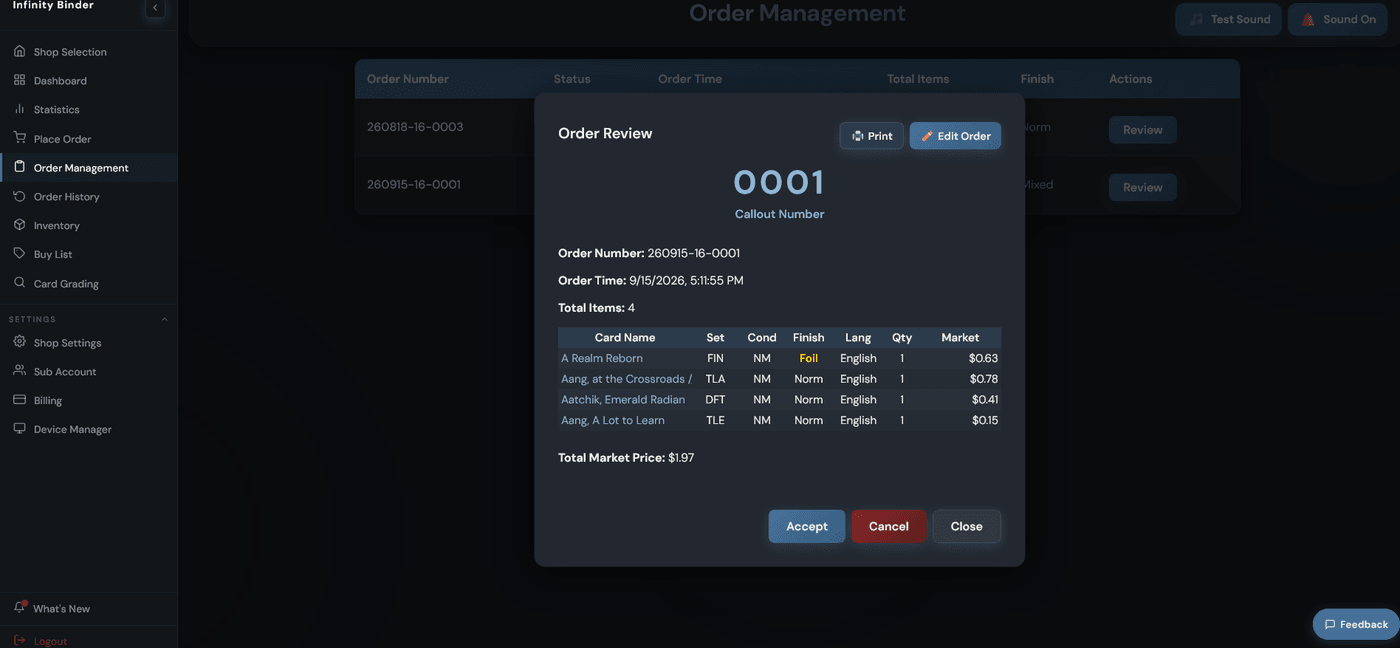
What a customer actually sees
Infinity Binder runs the back office, but this is the front of it — the storefront, the search, the cart, the checkout. Here's the path a customer walks through a shop that runs on it.
Customers walk up to the Computer when they enter the store
Every shop keeps a tablet or desktop out front where a customer can look through what's in store. and as a bonus Customers can see what your store location has so your staff can help more customers in the store.
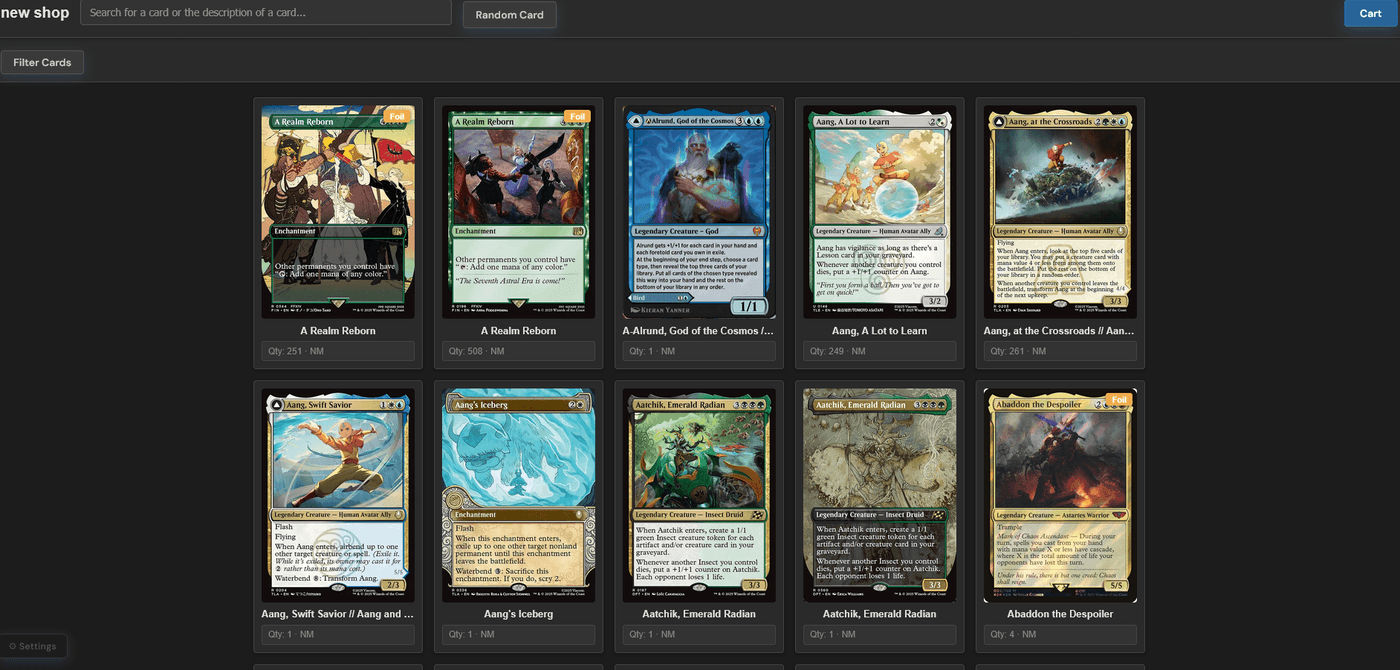
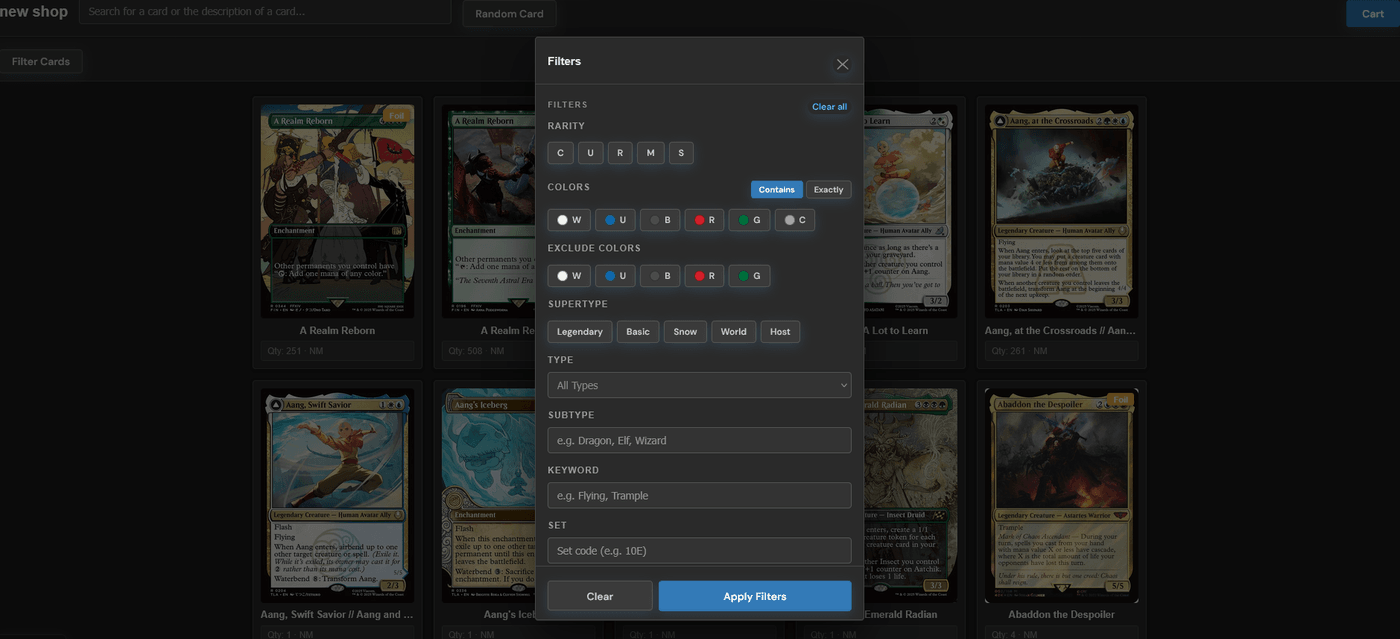
Customers can filter by many options
On the same tablet or desktop, they search by name or narrow the shelf with filters — color, rarity, type, set. Clicking a card opens its details: condition, finish, price, and how many are in stock.
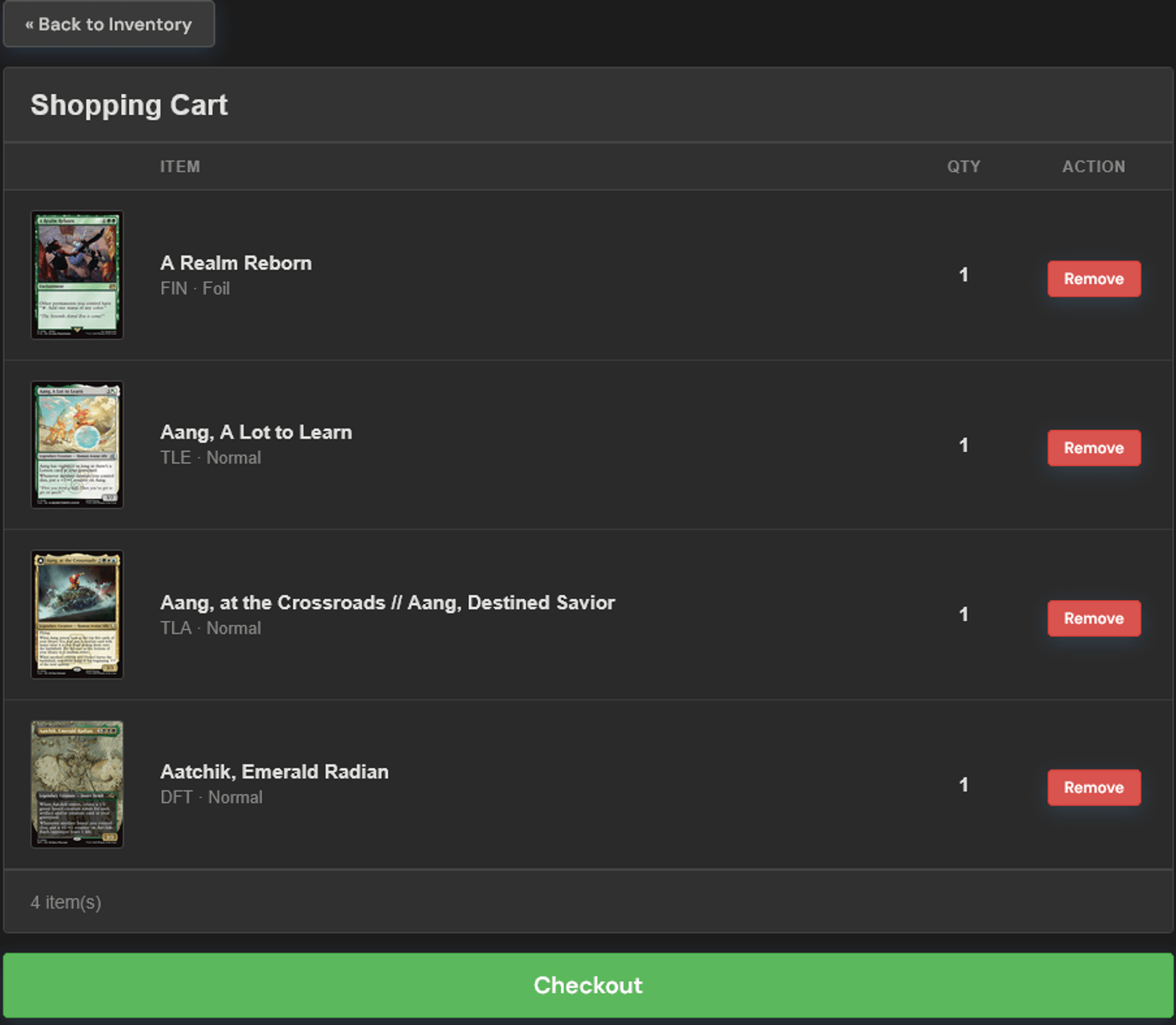
Customers add cards to the cart and check out
Cards they want go in the cart right from the details view. If the shop has pricing turned on, the cart shows the running market price as they go — otherwise it's just quantities. One tap on checkout, and the screen shows them an order number to hold onto.
Customers pay however the shop already takes payment
That order number is theirs to hold onto — it's how staff match the cards being pulled to the right customer. Payment happens however the shop already takes it; Infinity Binder doesn't touch it. Once staff accept the order, inventory updates and the final cost is locked in.